Skylight alternatives.
Without the $300 screen.
A Skylight Calendar 2 is $299.99, and most of the features families want need a $79-a-year Plus plan. Before you buy, here are six other ways to get the whole family on one calendar, from free to fancy.
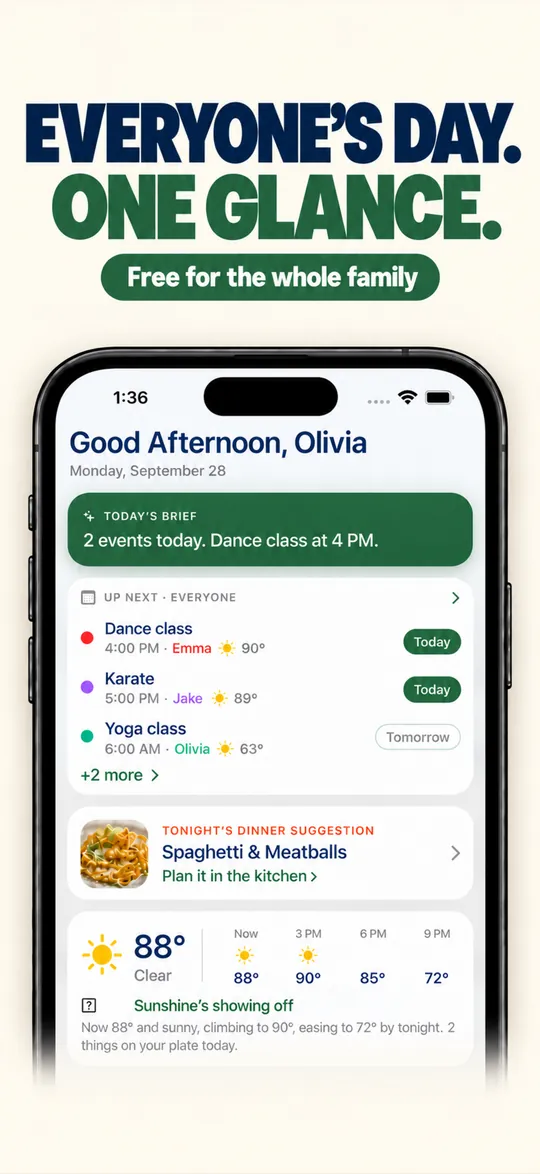
- Free for the whole family
- No ads
- No credit card
- iPhone, iPad, Android and web
Seven options, priced out.
| Option | What it is | Upfront | Per year | 3-year total |
|---|---|---|---|---|
| KarlCal | The phones you already own, plus an old tablet if you want a wall screen | $0 | Free, or Pro $39.99 | $0 to $120 |
| Skylight Calendar 2 | The benchmark: a 15-inch kitchen touchscreen | $299.99 | Plus $79 (optional) | $300 to $537 |
| Hearth Display | A 27-inch screen built around routines | $699 list | Membership $86.40 (needed to set up) | About $906 with membership |
| Amazon Echo Show 15 | A smart display that can show the family calendar | $349.99 list (often on sale) | None for the calendar | About $250 to $350 |
| DAKboard | DIY: turn your own screen or a Raspberry Pi into a dashboard | Your own hardware | Free, or $5 to $8/mo yearly | $0 to $288 + hardware |
| Cozi on a tablet | A long-running family calendar app | $0 | Free, Gold $39 or Max $79 | $0 to $237 |
| Google Calendar | Free shared calendar for Google families | $0 | Free | $0 |
US prices from each company’s store or pricing page, checked October 15, 2026: Skylight store; Hearth Display product and membership pages ($699 list, 10% off with an October promo code at the time); Amazon Echo Show 15 ($349.99 list, $249.99 on sale in early October 2026); DAKboard pricing page; Cozi Compare Plans. Hearth 3-year total uses its 3-year membership ($207.36).
What a family screen really costs.
Hardware is only the start. Slide to see what each option adds up to over the years you’ll use it.
US list prices before tax. Hearth’s membership is billed yearly here; its 2- and 3-year plans cost less per year. DAKboard doesn’t include a screen.
The upgrade a wall screen can’t give you.
A screen on the wall only helps when you’re standing in the kitchen. With KarlCal, you text Karl from anywhere (or ask Alexa with Pro), and the whole family sees it. Tap an example.
- You type“Jake has soccer Tuesday at 6:30”
- Or ask Alexa (Pro)“Move the dentist to Friday at 2”
- You type“Add milk to the grocery list”
- Or ask Alexa (Pro)“Cancel the dentist”
Who each one is for.
KarlCal
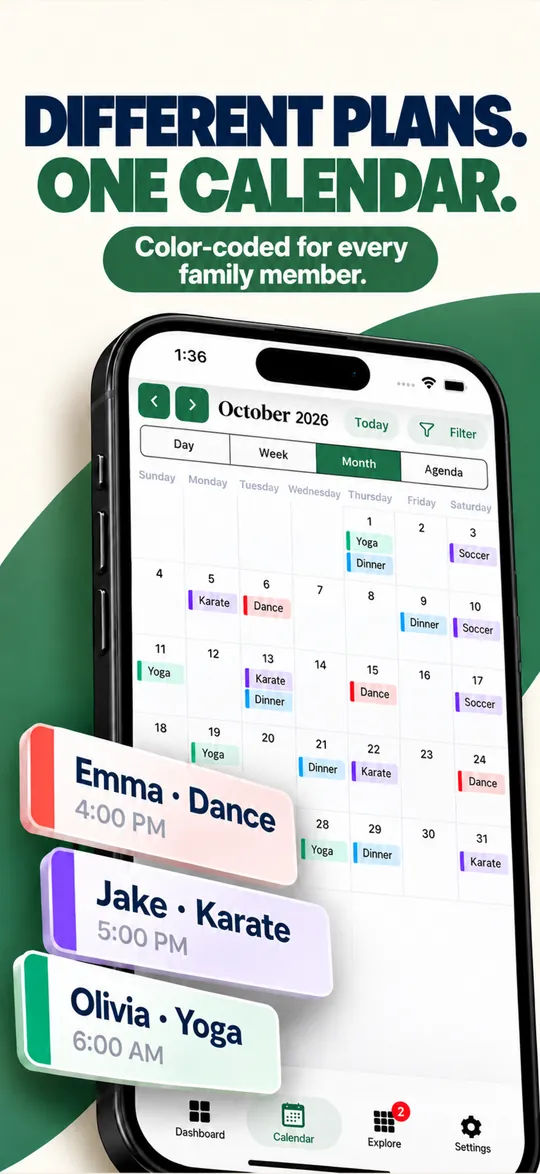
Free · Pro $39.99/yrEveryone gets the family calendar on their own phone, color-coded by person, with a dashboard that shows today’s plans, tonight’s dinner and the weather. Karl adds events from a quick text, and with Pro the Alexa skill does it by voice. Want the Skylight look? Put KarlCal on an old iPad or tablet in the kitchen.
Keep in mind: Little kids without phones need that tablet to see it.
Hearth Display
$699 · $86.40/yr membershipA 27-inch touchscreen with routines, task lists, meal planning and the Hearth Helper AI assistant. Without the membership you keep basic calendar viewing and profiles.
Keep in mind: The most expensive option here, and the membership is required to set it up.
Amazon Echo Show 15
$349.99 listA 15.6-inch Alexa smart display. Its home screen widgets can show family calendars, to-do lists and the weather, and it plays video and controls smart-home gear too.
Keep in mind: It’s a general-purpose smart display, not a dedicated family organizer: no chores or meal planning built around the calendar.
DAKboard
Free · $5–$8/moTurn any screen, or a Raspberry Pi, into a wall dashboard with your calendars, photos and weather. The free plan covers one predefined screen with up to two calendars.
Keep in mind: You supply and set up the hardware yourself.
Cozi
Free · Gold $39/yr · Max $79/yrPut Cozi on a tablet and you’ve got a family calendar on the counter. The free plan has ads and only goes 30 days ahead.
Keep in mind: The AI tools are only on the $79 Max plan.
Google Calendar
FreeA shared “Family” calendar is free and works everywhere, including on a tablet in the kitchen.
Keep in mind: Lists, chores and meals live in other apps.
Build your own Skylight for $0.
- 1 min
Find an old tablet
An old iPad or Android tablet from the drawer is all you need.
- 1 min
Sign in to KarlCal
Install the app, or open karlcal.com in the browser, and sign in. Invite the family from your phone.
- 2 min
Stand it in the kitchen
Put it on a stand, plug it in, and set the screen to stay awake (on iPad: Settings › Display & Brightness › Auto-Lock › Never).
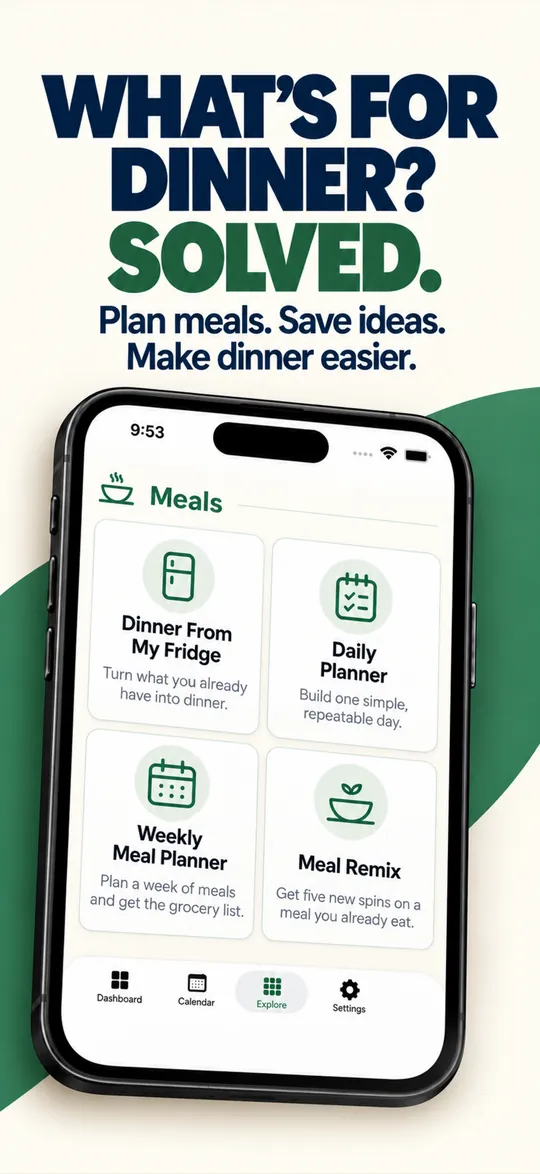
What you’d see on the wall.
Good to know.
What is the cheapest Skylight alternative?
A family calendar app on the phones you already own. KarlCal’s shared calendar, chat and lists are free, and you can put it on an old tablet in the kitchen for a wall-style display at no extra cost.
Is there a Skylight alternative without a subscription?
Yes. KarlCal’s free plan, Google Calendar and an Amazon Echo Show 15 all work without a subscription. Skylight’s own basic calendar also works without Plus, but meal planning, rewards and Magic Import need Plus at $79 a year.
Is Hearth Display better than Skylight?
Hearth is a 27-inch display with a routines-focused system, listed at $699. It needs a Hearth Family membership ($9 a month or $86.40 a year) to set up. It costs more than Skylight’s 15-inch Calendar 2 at $299.99.
Can I use an iPad as a family calendar?
Yes. Sign in to KarlCal on the iPad, put it on a stand in the kitchen, keep it plugged in, and set Auto-Lock to Never so the calendar stays on screen.
Does KarlCal work with Alexa?
Yes. KarlCal Pro includes its own Alexa skill: add, move and check events, lists and chores by voice.
Skip the $300 screen. Start free tonight.
Set up your household in two minutes. The shared calendar, family chat and lists are free for everyone in the family, with no ads and no credit card.
Pro is optional: $4.99 a month or $39.99 a year, with a 7-day free trial.